ui/ux design
Museum of History and Industry
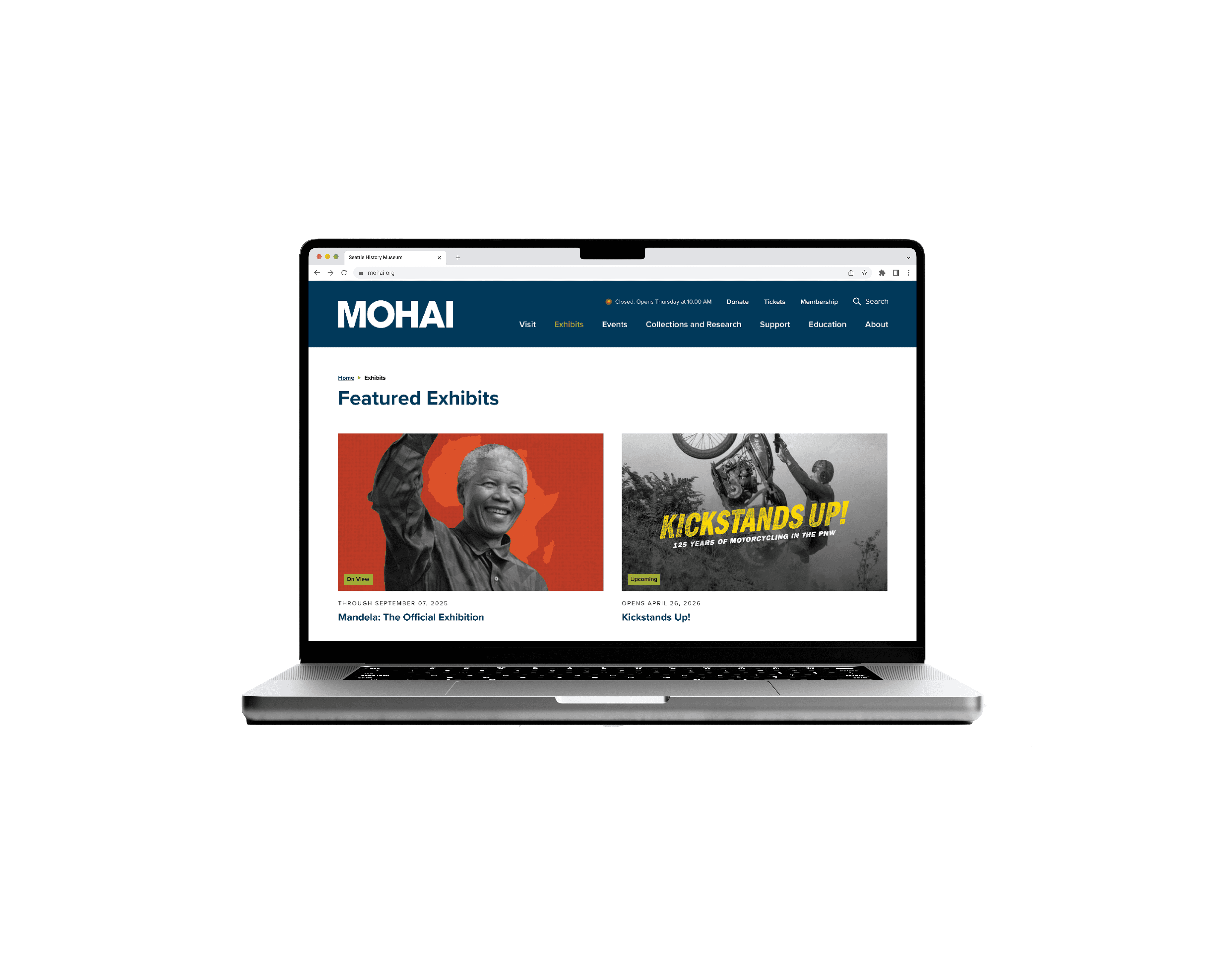
A redesign of the Museum of History & Industry’s exhibits pages to better meet visitor expectations when they arrive at the museum. The website was created by third-party contractor SiteCrafting. My role was to keep in line with the look and feel, but redesign the footer and exhibit flow they created to better suit MOHAI's needs.
Duration
July—
August 2025
my Role
Wireframes
Prototyping
the client
From humble beginnings in 1911, MOHAI has grown into the largest private heritage organization in the State of Washington with a collection of over six million objects, documents, and photographs from the Puget Sound region’s past. A portion of this collection is on display in the museum’s galleries at the historic Naval Reserve Armory in Lake Union Park. MOHAI uses these artifacts along with cutting edge, hands-on interactive experiences to make history come alive.
The problem
Visitor services and exhibits staff reported visitors were upset with how small the “Spotlight” exhibits were and that the MOHAI website led them to believe the exhibits would be full-sized. MOHAI’s website does not clearly differentiate between normal full-sized exhibits and “Spotlight” exhibits, which are smaller pop ups created in collaboration with community partners. As an aside, the marketing team also wanted a cleaner website footer with better navigation.
exhibit page redesign
Final Prototype
Solution
Spotlights are now clearly distinguished from full-size exhibits
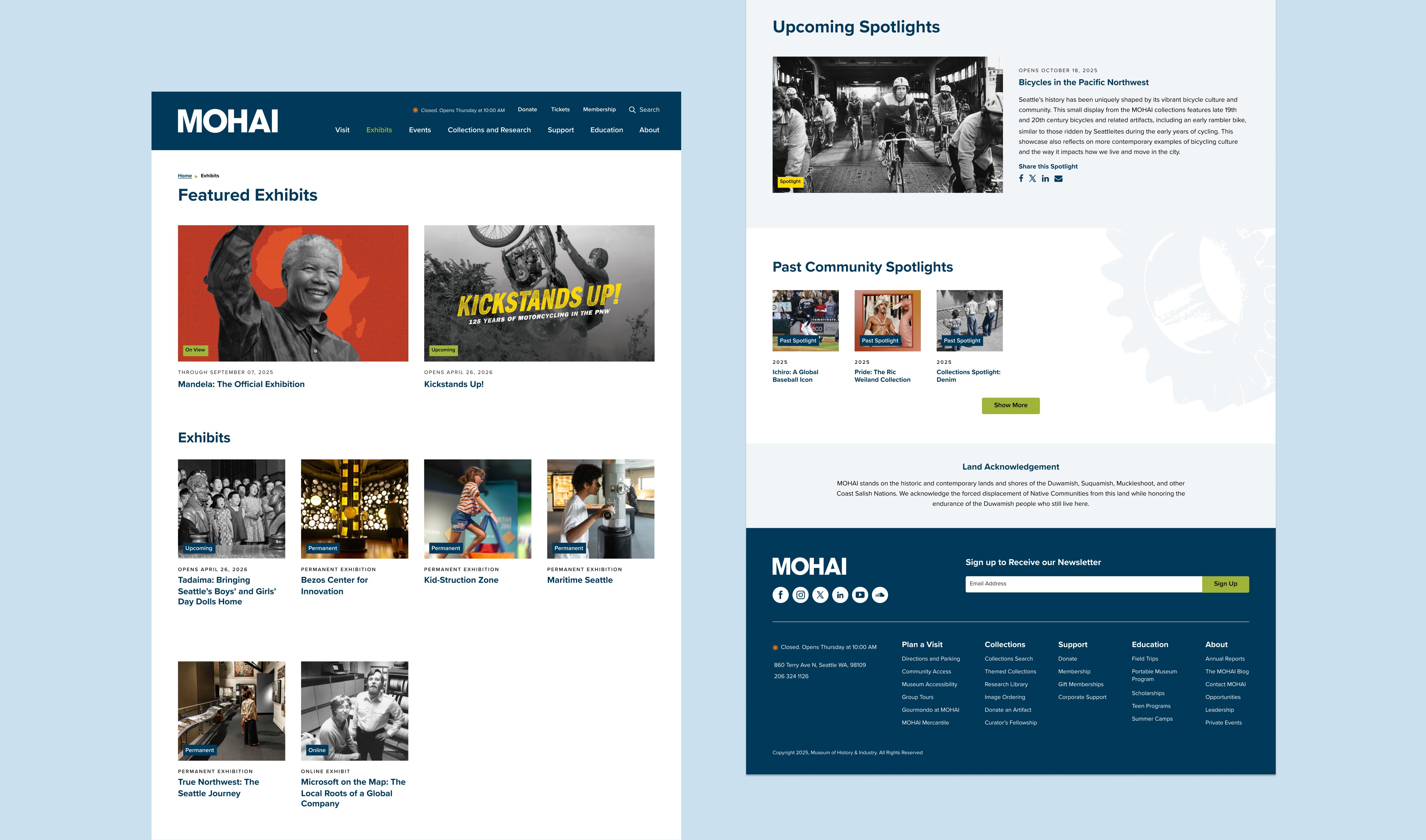
Spotlights are now in their own, “Community Spotlights” carousel section on the exhibits page, which shows current and upcoming spotlights, as designated by their tag. A short paragraph under the carousel header introduces Spotlights as smaller, community-organized pop ups with a more intimate experience. The final Homepage to Exhibits page flow also removes individual pages for each spotlight; users can no longer click in to view a single spotlight, which de-emphasizes its importance to better meet visitor expectations upon arrival.
solution
Reduced length of archive section and footer redesign
Additionally, pagination was added in the first draft prototype to reduce the length of the “Past Exhibits” section, but due to WordPress template limitations brought up by the website manager, I changed it to a “Show More” button. I also redesigned the footer to better match the top toolbar for easier navigation, emphasize the newsletter, and organize the “About” information (socials, hours, address, phone) for easier scannability.

old design
Original Webpages
the issue
Lack of distinction between small and full-size exhibits skew visitor expectations, causing dissatisfaction upon arrival.
As shown in the above video, there is no distinction between full-size exhibits such as The Beautiful Game: How Soccer Connects Us All, and small spotlights such as Riding Together, Tadaima, and Reframing Seattle's Southeast Asian Histories. Full-size and spotlights alike click into near identical pages of exhibit information.
The Exhibits page does not have a hierarchy that differentiates between featured exhibits, which are large and limited-time run; spotlight exhibits, which are small and limited-time run; and permanent exhibits. There is no “Spotlight” section. Instead, spotlights are treated the same as every featured exhibit—clicking on its card leads to its own dedicated page, which also makes no mention of its small size. The Exhibits page also has a very long section for “Past Exhibits,” which marketing wants to take up less space/scroll time on the page because it is not a section users often click on.
a work in progress
Draft Prototypes
developer issues
Buying packages requires unnecessary clicks and screens
In previous draft prototypes, there was no dedicated page to all current, upcoming, and past spotlights. Instead, there was only a Spotlights carousel showing the current and upcoming spotlights. Therefore, the Past Spotlights section was going to be integrated into the Past Exhibit section on the Exhibits page as one consolidated, chronological archive. However, due to WordPress template limitations, Past Exhibits and Past Spotlights would have to be separated into different categories in order to be sorted out into different sections, which would make consolidating Past Exhibits and Past Spotlights into one archive impossible; the template does not allow for combined chronological sorting of two different item types.
Exhibit team issues
Compromise needed; community partners want a way to find past spotlights
I also had to balance the needs of the Exhibits team, who needed to be able to send out links to individual spotlights to the community partners who worked with them in creating the Spotlights, even if the Spotlight had ended. The Spotlights needed to be distinct from and smaller than full-size exhibits, but could not be de-emphasized to a point where community partners would be displeased. Therefore, instead of just having a Spotlights carousel on the Exhibits page showing current and upcoming spotlights (including past spotlights on the carousel would create a neverending scroll, which wasn’t ideal), the end solution was to have the carousel click into a full Spotlights page that showed current, upcoming, and past spotlights. This was a compromise that still accomplished the goal of making a distinction between Spotlights and full-size exhibits; Spotlights will be in a separate scroll carousel on the Exhibits page instead of filtered in as cards alongside full-size exhibit cards, and clicking on them will bring you to a dedicated Spotlights page showing all current, upcoming, and past spotlights. In other words, individual spotlights will no longer have their own dedicated page the way full-size exhibits do. Instead, they will all live together on one consolidated page.